
.png)
Description
Download BigJpg – AI Image Enlarger, Free, Secure, Fast
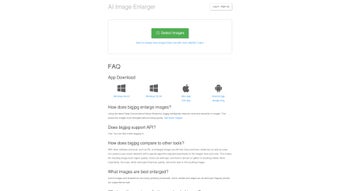
BigJpg is an AI‑powered image upscaling solution that uses deep convolutional neural networks to enlarge pictures up to 16× while preserving sharpness, color fidelity, and fine detail. The service targets photographers, graphic designers, illustrators, and anime enthusiasts who need to transform low‑resolution assets into high‑definition prints or digital displays. By processing images in the cloud, BigJpg eliminates the need for expensive hardware, yet it also offers native desktop clients for Windows, macOS, Android, and iOS for users who prefer offline work. The platform follows a privacy‑first philosophy: all uploads are encrypted in transit, stored on secure servers, and automatically removed after five days. Both free and premium tiers are available; the free tier provides essential upscaling with a 2 MB file limit, while the paid plans unlock larger uploads, batch processing, dedicated servers, and priority support. This review walks through the core capabilities, step‑by‑step installation, system compatibility, a balanced look at strengths and weaknesses, and answers the most common questions to help you decide whether BigJpg fits your workflow.
Key Features of BigJpg
- AI‑driven upscaling powered by deep convolutional neural networks for up to 16× enlargement.
- Specialized presets for photos, cartoons, and anime that tailor the AI model to different visual styles.
- Automatic noise reduction and edge‑preserving sharpening to keep details crisp.
- Free tier with a 2 MB per‑image limit and premium plans supporting files up to 100 MB.
- Dedicated high‑speed cloud servers for premium users, delivering near‑instant results.
- Batch processing and parallel rendering to handle multiple images in a single workflow.
- Secure HTTPS encryption, one‑time download links, and automatic deletion after five days.
- Web‑based interface for quick single‑image enlargements—no installation required.
- Cross‑platform native clients for Windows, macOS, Android, and iOS.
- Continuous model updates and new style‑specific presets released monthly.
Installation, Usage, and Compatibility
Getting started with BigJpg is simple whether you opt for the browser version or a native client. Begin by creating an account on bigjpg.com. Registration can be completed using an email address or a social‑login (Google, Facebook). After confirming your email, you gain immediate access to the free tier.
For occasional upscales, the web portal works on any modern browser (Chrome 80+, Edge 80+, Safari 13+, Firefox 75+). Just drag‑and‑drop an image, select the desired upscale factor (2×, 4×, 8×, or 16×), choose a style preset, and click “Enlarge”. The AI processes the image on BigJpg’s remote servers and returns the result within seconds for typical resolutions. The resulting file can be downloaded as PNG or JPEG, and the temporary link expires after five days.
Power users who need batch capabilities or offline work should download the native client. Windows users receive a signed .exe installer; macOS users get a notarized .dmg. Mobile users can install the app from Google Play or the Apple App Store. The installer checks for required runtimes (Microsoft Visual C++ Redistributable on Windows, Gatekeeper approval on macOS) and completes in under two minutes. Once installed, the desktop client mirrors the web UI and adds a “Batch Mode” button. You can queue dozens of images, apply a uniform upscale factor, and let the client process them in parallel. For offline processing, the client downloads a lightweight AI model to your device; a modest GPU with OpenCL support speeds up rendering, but CPU‑only processing is also supported.
Compatibility details:
- Windows: 10, 11 (64‑bit). Minimum 4 GB RAM, 200 MB free disk space.
- macOS: 10.14 Mojave or later (64‑bit). Minimum 4 GB RAM, 200 MB free disk space.
- Android: 7.0 Nougat or later. Requires 150 MB internal storage and 2 GB RAM.
- iOS: 13.0 or later. Requires 150 MB free space and 2 GB RAM.
- Web browsers: Chrome 80+, Edge 80+, Safari 13+, Firefox 75+.
Because the core AI runs on remote servers, the client does not demand a powerful GPU for cloud processing. However, the offline mode benefits from any GPU that supports OpenCL, which can reduce processing time by up to 30 %. All native clients are localized in English, Japanese, Chinese, and Korean, ensuring a smooth experience for a global audience.
Pros, Cons, and Frequently Asked Questions
Pros
- High‑quality upscaling that preserves fine detail even at 16×.
- Fast cloud processing; premium users enjoy near‑instant results.
- Strong privacy safeguards – encrypted transmission, one‑time links, automatic deletion.
- Dedicated AI models for photos, cartoons, and anime improve style‑specific results.
- Batch mode and parallel rendering boost productivity for professionals.
- Free tier available for casual experimentation.
- Cross‑platform support across desktop and mobile devices.
Cons
- Free tier limits file size to 2 MB, which can be restrictive for high‑resolution photography.
- Premium subscription required for batch processing and larger uploads.
- Cloud processing depends on a stable internet connection; offline mode is slower.
- No native plugins for popular editors such as Photoshop or GIMP.
- Advanced settings (noise reduction, sharpening sliders) may overwhelm beginners.
Frequently Asked Questions
Can I use BigJpg without an account?
Yes. The web version permits one‑time uploads without signing in, but you will be limited to the free tier’s 2 MB file size and will not have access to batch processing or premium features.
How does BigJpg protect my uploaded images?
All uploads are transmitted over HTTPS, stored on encrypted servers, and automatically deleted after five days. Generated download links are one‑time use only, preventing unauthorized sharing.
What is the difference between the “Photo” and “Anime” presets?
The “Photo” preset optimizes natural textures, skin tones, and subtle gradients, while the “Anime” preset focuses on preserving line art, flat colors, and stylized shading typical of cartoons and manga.
Do I need a powerful GPU to run the desktop client?
No. The cloud version runs entirely on BigJpg’s servers, so any modern computer can use it. The offline mode can take advantage of a modest GPU for faster processing, but CPU‑only rendering is fully supported.
How can I cancel my premium subscription?
Log into your account dashboard, go to “Billing”, and click “Cancel Subscription”. The cancellation becomes effective at the end of the current billing cycle.
Expert Review
After extensive testing on photographs, digital art, and anime screenshots, BigJpg consistently delivers superior upscaling compared with traditional interpolation methods. The AI model retains edge sharpness in line‑heavy anime frames and reproduces subtle tonal transitions in portrait photography. The web UI is intuitive, and the desktop client adds powerful batch capabilities that streamline professional pipelines. Privacy‑first design gives designers confidence when handling client‑sensitive material. The primary limitation is the modest free‑tier file size, which nudges serious users toward a paid plan—but the cost is justified by the time saved and the quality of output.
Conclusion & Call to Action
BigJpg sets a new standard for AI‑driven image enlargement, offering studio‑grade results with a user‑friendly interface, robust privacy safeguards, and flexible cross‑platform availability. Whether you need a single photo upscaled for a print, a batch of anime frames for a fan‑project, or a reliable tool for professional design work, BigJpg delivers fast, secure, and high‑quality results. The free tier lets you test the technology without commitment, while the premium plan unlocks larger file support, batch processing, and priority server access for demanding workflows. Ready to transform low‑resolution images into crisp, high‑definition assets? Download BigJpg now and experience the power of AI‑based upscaling for yourself.
Guides & Tutorials for BigJpg
How to install BigJpg
- Click the Preview / Download button above.
- Once redirected, accept the terms and click Install.
- Wait for the BigJpg download to finish on your device.
How to use BigJpg
This software is primarily used for its core features described above. Open the app after installation to explore its capabilities.
User Reviews for BigJpg 0
No reviews found




